On-Page SEO in 2026: A Field Guide From Live Accounts
On-page SEO is the part of search you fully control, and it is still where we find the quickest wins on new accounts. This is how we work through a page, what we fix first, and what we have stopped worrying about.
Key takeaways
- On-page SEO starts with intent: if the page is the wrong type of answer, no amount of tag polishing will rescue it.
- Title tags earn the click and headings earn the scroll, so write both for a tired human first and a crawler second.
- Internal links are the most underused on-page SEO lever we see, and they cost nothing but an afternoon.
- Show experience on the page itself: named authors, real photos, first-hand detail and honest limitations.
- Refreshing a page that used to rank is often faster and safer than publishing a new one on the same topic.
01What on-page SEO actually covers in 2026
On-page SEO is everything you change on the page itself to help it rank and to help the person who lands on it: the title tag, the meta description, the headings, the words, the images, the internal links, the structured data and the signals that show a real expert wrote it. Technical SEO makes sure search engines can reach and render the page. Link building earns trust from other sites. On-page SEO is the bit in between, and it is the only part you control completely.
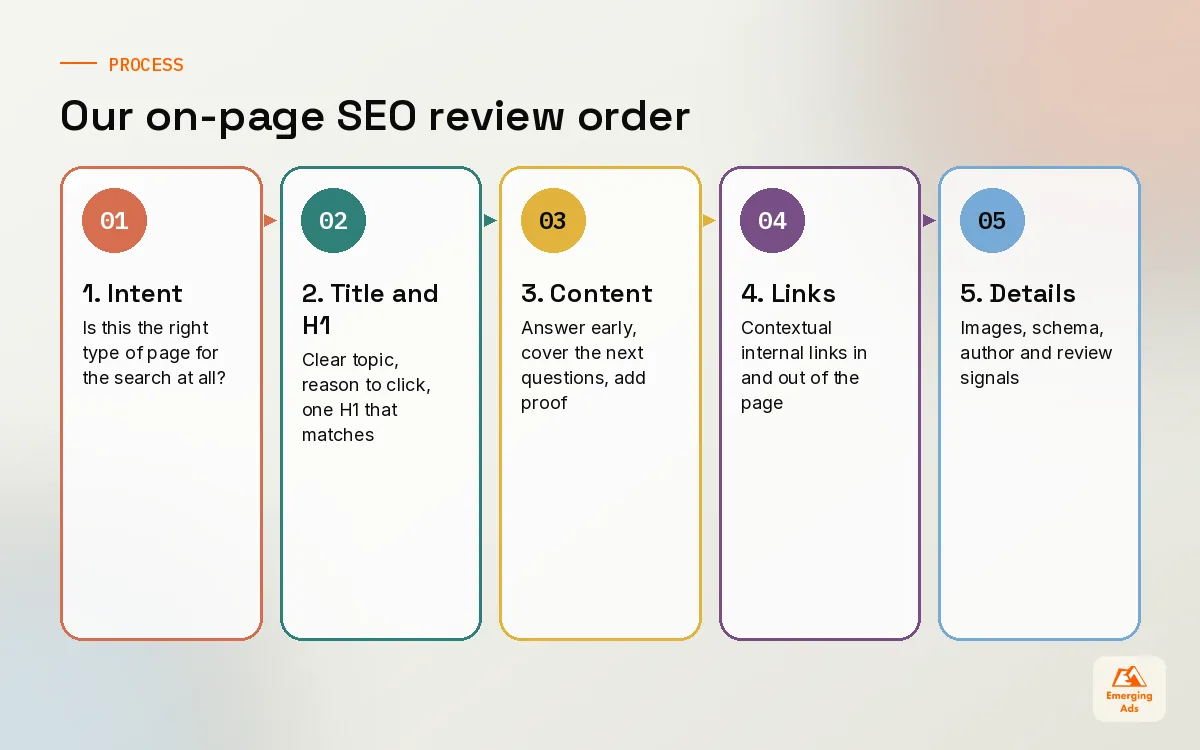
When a founder asks us why a page is not ranking, the answer is rarely a missing tag. Far more often the page answers a slightly different question from the one people are searching. We once took on a B2B software client whose pricing page targeted “project management software”. Google was showing listicles and comparison pages for that phrase, not vendor pricing pages. No amount of polishing would have moved it. We retargeted the page at the branded pricing and comparison terms it could genuinely win, and built a separate comparison page for the broader phrase.
What we have stopped worrying about
Fifteen years ago on-page work meant keyword density targets and exact match everything. We do not count keyword density any more, we do not obsess over the meta keywords tag (Google has ignored it for a very long time), and we do not force a phrase into every H2. If the page is clearly about the topic, uses the language customers use and covers what they need, the rest follows.
02Title tags and meta descriptions: the two lines that earn the click
The title tag is still one of the strongest on-page SEO signals you have, and it is the first thing a searcher reads. It has two jobs that sometimes pull in different directions: tell Google clearly what the page is about, and persuade a person scanning ten results to pick yours. We write the second job into every brief because most titles we audit only do the first.
How we write a title tag
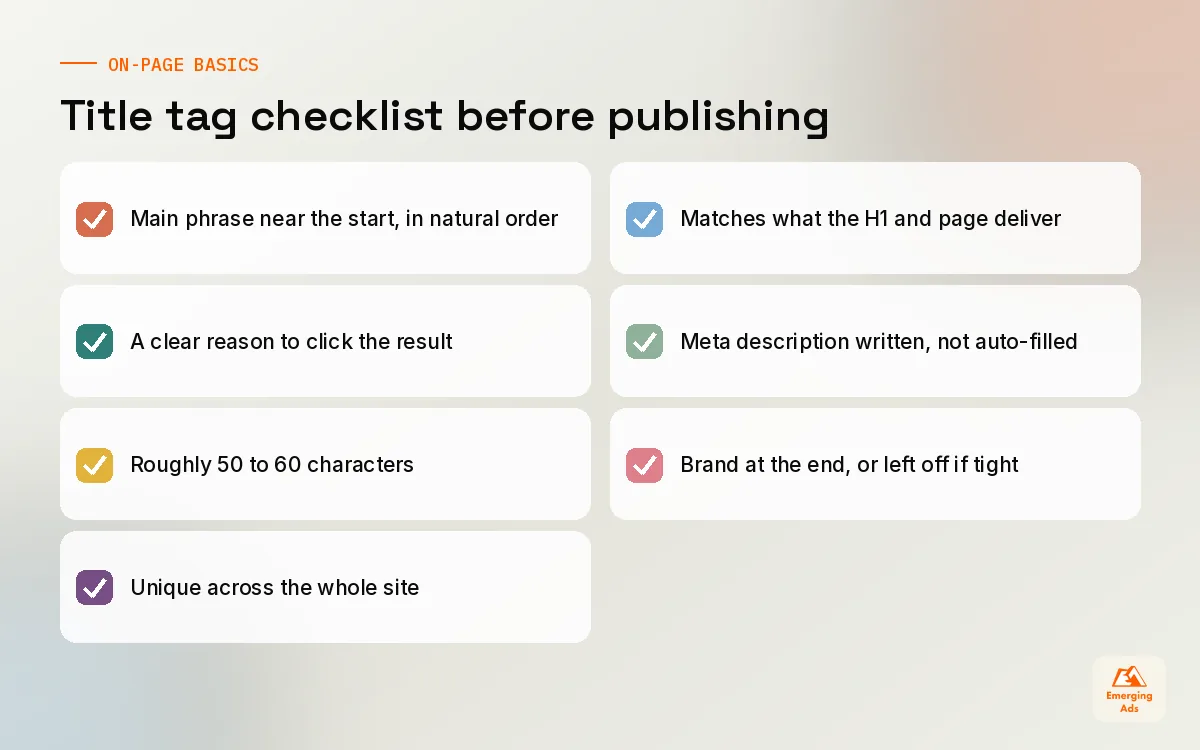
- Lead with the main phrase or something very close to it, in natural word order.
- Add the reason to click: a year if freshness matters, a number if it is a list, a promise if the page solves something specific.
- Keep it roughly 50 to 60 characters so it is less likely to be cut off on most screens. Google measures by pixel width, so treat that as a guide.
- Put the brand at the end on inner pages, or leave it off when space is tight. Your homepage is the exception.
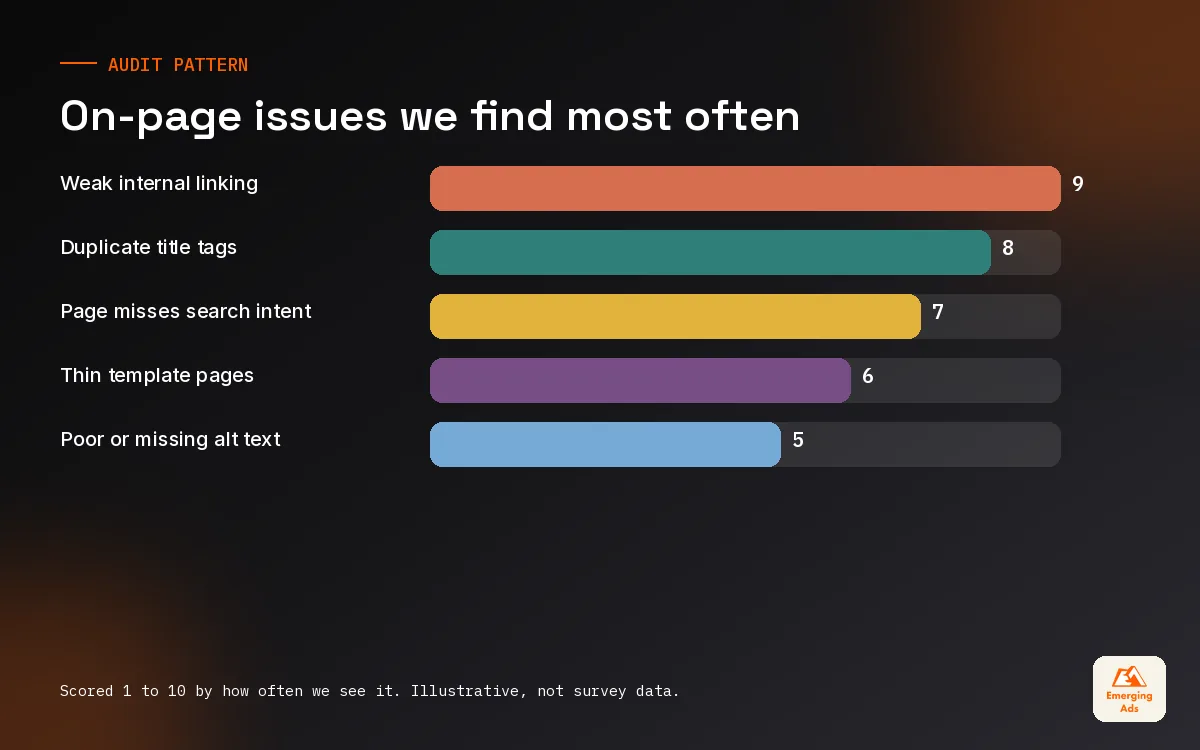
- Make every title unique. Duplicate titles across a template are one of the most common problems we find.
Google rewrites titles when it thinks yours does not match the page, and it happens more often than people expect. When we see a rewrite in the results, we treat it as feedback. Usually the title promised something the H1 or the content did not deliver, or it was stuffed with a list of keywords separated by pipes.
Meta descriptions do not rank, but they still matter
Meta descriptions are not a ranking factor, and Google often writes its own snippet from the page text. We still write them for every page that matters, because when Google uses yours, a sharp description lifts click-through. Write it like a shop window: what the page gives the reader, one specific detail, and a reason to choose it. Around 120 to 160 characters is a sensible target. Tools like Yoast SEO make this easy to manage at scale on WordPress, as long as someone is actually writing them rather than accepting the default.
| Element | What it does | Common mistake we find |
|---|---|---|
| Title tag | Ranking signal and the headline in results | Same title on every product in a range |
| Meta description | Sales pitch under the title | Left blank or auto-filled with the first sentence |
| H1 | Tells readers they landed in the right place | Two H1s, or an H1 that is just the logo |
| URL slug | Short, readable label for the page | Dates and IDs that go stale |
| Open Graph tags | Controls how shares look on social | Missing image, so shares look broken |
03Headings and structure that match search intent
A heading structure is a promise to the reader about what the page will cover and in what order. We read the headings of a draft on their own before we read anything else. If they tell a clear story without the body text, the page is usually in good shape. If they read like a list of keywords, it is not.
One H1, then a logical outline
Use one H1 that matches the title tag in meaning, even if the words differ slightly. Then use H2s for the main sections and H3s for the points inside them. Do not skip levels for styling reasons: if a designer wants smaller text, change the CSS, not the heading level. Screen readers rely on that outline too, so good structure is an accessibility win as well as an on-page SEO one.
Let the search results write your outline
Before we outline a page, we search the phrase and study what already ranks. Are the top results guides, category pages, tools or videos? What sub-questions do they all answer? Which question does nobody answer well? That last gap is where the page earns its place. Our keyword research guide walks through reading intent in more depth, and our keyword research team does this for every page before a word is written.
04Content that satisfies intent, not word counts
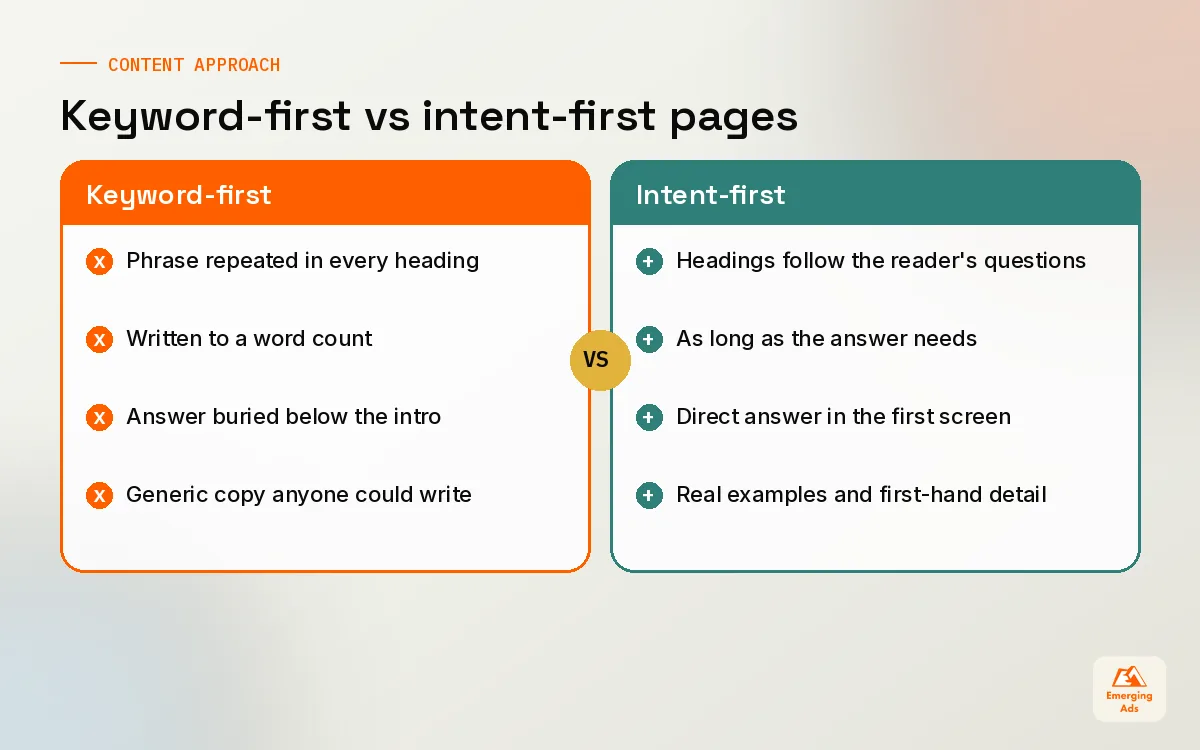
The biggest on-page SEO gain we see on new accounts comes from rewriting content so it actually answers the question. Not longer content. Better content. We have cut service pages in half and watched them climb because the useful part was no longer buried under three paragraphs about the company’s history.
What a page needs to satisfy intent
- The answer early. If someone searches a question, give a direct answer in the first screen, then expand.
- The next three questions. A reader asking about cost will then ask about timelines, what is included and what could go wrong.
- Proof. Examples, screenshots, prices, process photos, customer quotes. Anything a competitor could not copy by rewording.
- A next step. A page that ranks but does not lead anywhere is a traffic report, not a business result.
On a physiotherapy clinic site we manage, the treatment pages were generic descriptions copied from a supplier. We sat with the lead physio for an hour, recorded how she explains each treatment to nervous patients, and rebuilt the pages around those explanations: what happens in the first session, how long recovery usually takes, what to wear. Enquiries through those pages went up noticeably over the following months, and the pages started appearing for dozens of question searches we had never targeted.
Write the page your best salesperson would give a customer if they only had five minutes.
Content tools help with coverage. We use Surfer SEO to spot terms and subtopics a draft may have missed, but we treat its score as a prompt, not a target. A page that hits a perfect score by repeating phrases reads badly and converts badly. The planning side, deciding which pages exist and why, is where content strategy earns its keep.
05Internal links: the most underused on-page SEO lever
If we had to pick one on-page SEO fix to do across every site we audit, it would be internal linking. It costs nothing, it helps search engines find and understand pages, and it passes authority from pages that have it to pages that need it. Most sites link from the menu and the footer and almost nowhere else.
How we approach internal links
- List the pages that make you money, the ones you most want to rank.
- Find the pages with the most links and traffic already, usually the homepage, a few old blog posts and popular guides.
- Add contextual links from the strong pages to the money pages, inside the body copy, with descriptive anchors.
- Link related articles to each other so a reader can go deeper without hitting the back button.
- Check for orphan pages that nothing links to. A crawl with Screaming Frog finds these in minutes.
Anchor text matters. “Click here” tells nobody anything. “Our guide to choosing running shoes for flat feet” tells both the reader and the search engine what is on the other side. Vary your anchors naturally rather than using the identical phrase every time; that looks forced to people as well as algorithms.
| Link type | Where it goes | What we aim for (illustrative) |
|---|---|---|
| Contextual links in body copy | Blog and guide pages to service or category pages | 3 to 5 relevant links per long article |
| Related reading | End of articles to sibling articles | 2 to 3 genuinely related posts |
| Breadcrumbs | Every page back up its hierarchy | On all templates below the homepage |
| Hub pages | Topic overview to every page in the cluster | One hub per major topic |
On an ecommerce client running on Shopify, most category pages had no links pointing to them except from the navigation. We added short buying guides that linked to the right collections and cross-linked collections to each other. Our Shopify management team then built the related-collection block into the template so every new collection got the same treatment automatically.
06Images, schema and the small on-page details that add up
None of these will rescue a page that misses intent. Together, on a good page, they are the difference between competing and leading.
Image SEO
- Descriptive file names such as oak-dining-table-extended.webp instead of IMG_4821.jpg.
- Alt text that describes the image for someone who cannot see it. Not a keyword list.
- Modern formats and sensible sizes. WebP or AVIF, compressed, with width and height set so the layout does not jump.
- Original images where possible. Stock photos are fine for decoration, but real product and process photos build trust and can rank in image search.
Structured data on the page
Schema markup helps search engines understand what the page is: an article, a product, a local business, a set of FAQs, a how-to. The types we use most are Organization, Article, Product, LocalBusiness, BreadcrumbList and FAQPage. Two rules keep us out of trouble. The markup must describe content that is visible on the page, and it must be accurate. Google has reduced how often some rich results appear, FAQ rich results especially, so we add schema for clarity and eligibility rather than promising clients star ratings in the results.
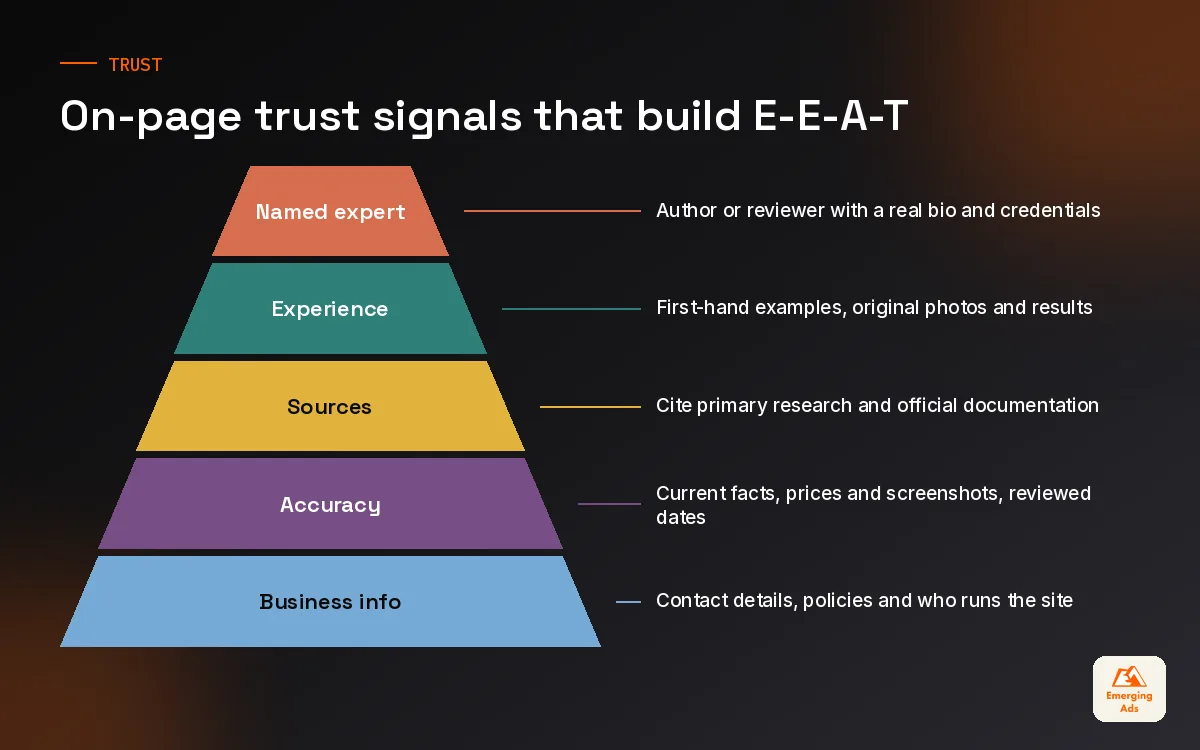
07E-E-A-T signals you can actually show on the page
Experience, expertise, authoritativeness and trust are concepts from Google’s quality rater guidelines. They are not a score you can check. But the things that demonstrate them are very real, and most of them live on the page.
| Signal | What it looks like on the page | Easy win |
|---|---|---|
| Experience | First-hand detail, original photos, results from actually doing the thing | Add one real example to every guide |
| Expertise | A named author with relevant background | Author box linking to a proper bio page |
| Authority | Mentions, citations and links from respected sources | Cite primary sources, not other blogs |
| Trust | Clear contact details, pricing, policies, accurate claims | Show when the page was last reviewed |
For a healthcare client, we added a “medically reviewed by” line naming the clinician who checked each page, with a link to her profile and registration details. For a SaaS client, we replaced a generic “Team” byline with the actual product manager who wrote the guides. Neither change took long. Both made the pages more believable to readers, which is ultimately what these guidelines are trying to reward.
08Page templates: fix once, improve hundreds of pages
On larger sites, on-page SEO is mostly template work. A product template, a category template, a location template and a blog template might control thousands of URLs. One fix at template level can outweigh a month of editing individual pages.
What we check in every template
- Title tag and meta description patterns that pull in unique information, not the same wording on every page.
- A single H1 that uses the page’s own name.
- Space for unique copy above or near the fold, not just a product grid.
- Breadcrumbs, related links and schema generated automatically.
- A clear primary call to action that a conversion rate specialist would sign off on.
We worked with a multi-location service business whose location pages all used the same paragraph with the town name swapped in. They were thin and nearly identical. We rebuilt the template with fields for local team photos, the areas each branch actually covers, local reviews and directions from landmarks. The pages became genuinely different because the template forced the team to collect real local detail.
09Refreshing old pages that used to rank
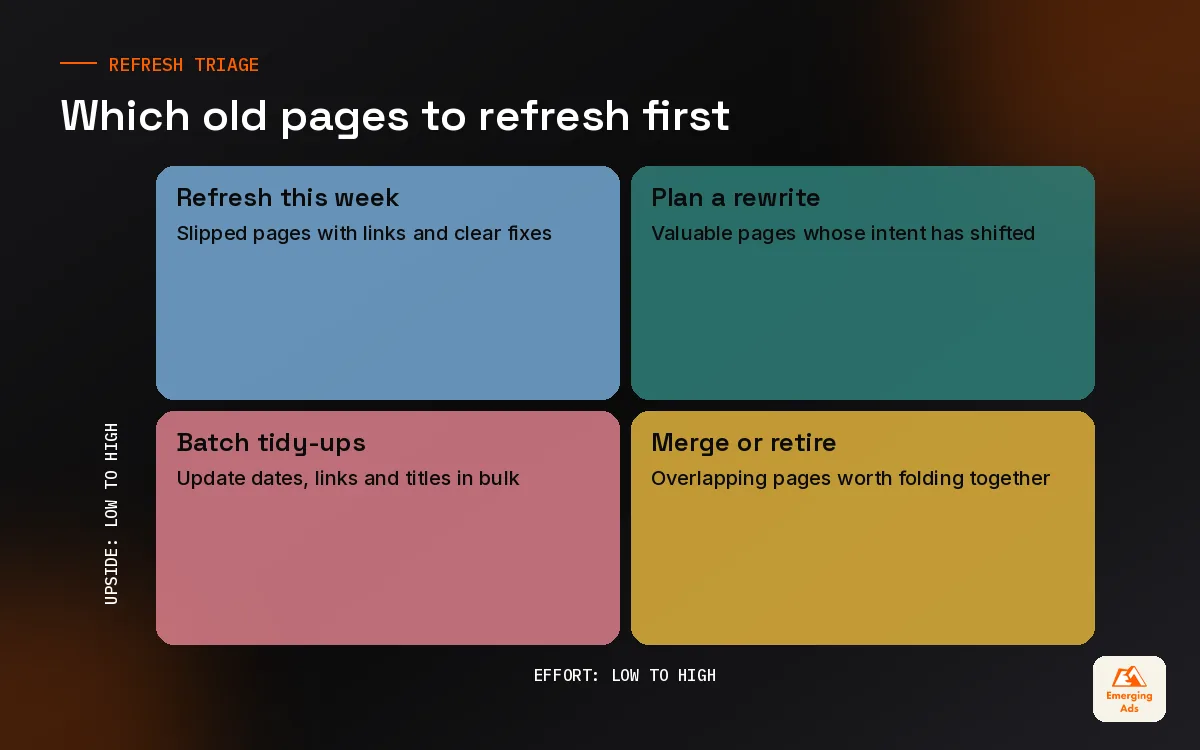
Almost every site we take on has pages that ranked well two or three years ago and have slowly slipped. They still have links, they still have some history, and they are often the fastest on-page SEO wins available. Refreshing them is usually quicker than writing something new, and it avoids the classic mistake of publishing a second page that competes with the first.
How we decide what to refresh
We pull twelve to sixteen months of data from Google Search Console, compare each page’s clicks and average position against the same period a year earlier, and flag pages that dropped. Then we ask why. Has the intent shifted? Have competitors published something better? Is the information out of date? Has a newer page on our own site started competing with it?
- Update anything factually stale: prices, screenshots, product names, dates.
- Re-read the current top results and add what they cover that you do not.
- Tighten the introduction so the answer comes first.
- Add new internal links to the page from recent content.
- Update the title if the old one no longer reflects what people search for.
- Only change the URL if you absolutely must, and redirect the old one if you do.
When two pages cover the same topic, we usually merge them into the stronger one and redirect the weaker. On a publisher site with years of overlapping articles, consolidation did more for traffic than the new content we were publishing that quarter. If you want help working through this at scale, our on-page SEO services start with exactly this audit, and the wider range of services we offer covers the technical and content work that often comes out of it.
More practical guides from our team are on the usemergingads.com homepage, and if you would rather someone else ran the whole programme, that is what our SEO team does every day.
Frequently asked questions
Straight answers to what clients ask us most about on-page seo.
What is on-page SEO?
How long does on-page SEO take to show results?
Is keyword density still important?
How long should a title tag be?
Do meta descriptions affect rankings?
How many internal links should a page have?
Should every page have schema markup?
What is E-E-A-T and can I optimise for it?
Should I update old blog posts or write new ones?
Can I do on-page SEO myself?
What are the most common on-page SEO mistakes?
Want a second pair of eyes on your most important pages?
We will pick the pages that should be earning traffic, show you exactly why they are not, and hand you a fix list your team can start on this week.
Book your free audit