The Practical Core Web Vitals Guide We Hand to New Clients
Core web vitals get more panic than they deserve and less attention than they need. This is the guide we send new clients before the first speed call: what the three numbers mean, how to read them honestly, and which fixes are worth your developer’s week.

Key takeaways
- Core Web Vitals are three field metrics: LCP for loading, INP for responsiveness and CLS for visual stability, judged at the 75th percentile of real visits.
- Field data from real Chrome users is what Google uses; Lighthouse lab scores are a diagnostic tool, not the grade.
- Most failing sites fail on templates, not pages, so fix the product, category or article template once and the whole group moves.
- Treat core web vitals as a tiebreaker for rankings and a genuine lever for conversions, and budget your developer time accordingly.
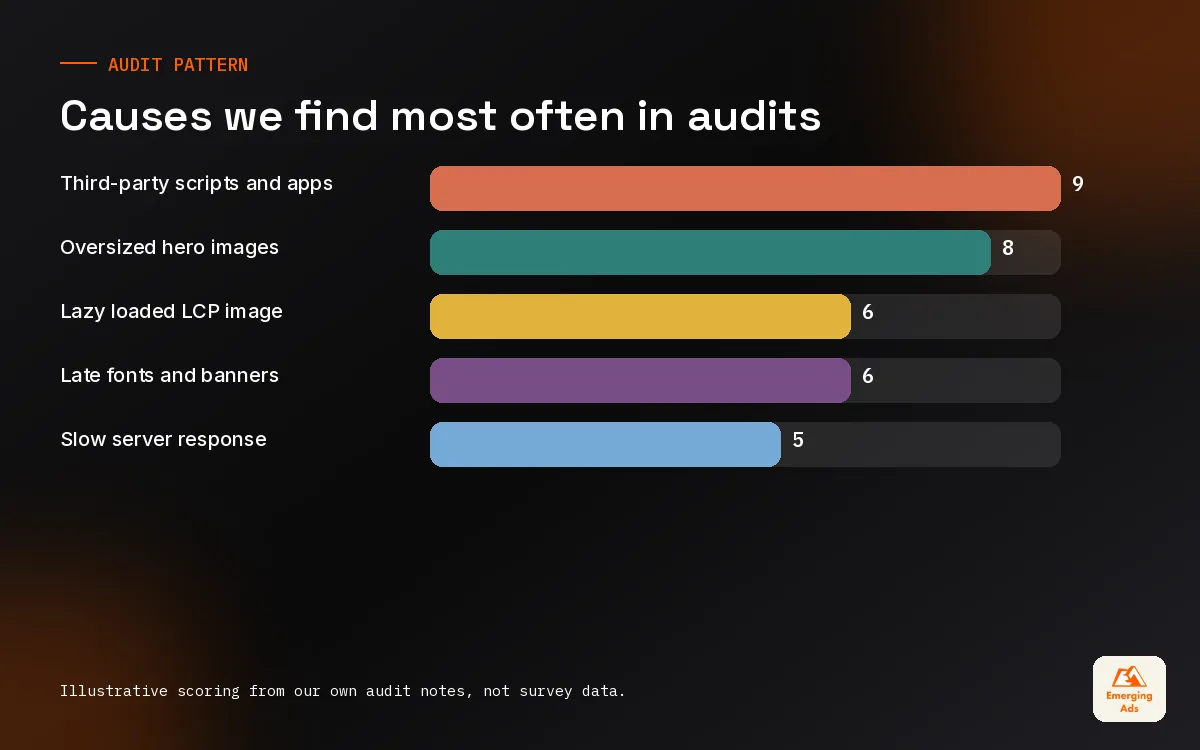
- Third-party scripts, oversized hero images and late-loading fonts cause most of the problems we find, on Shopify and WordPress alike.
01What core web vitals are, in plain English
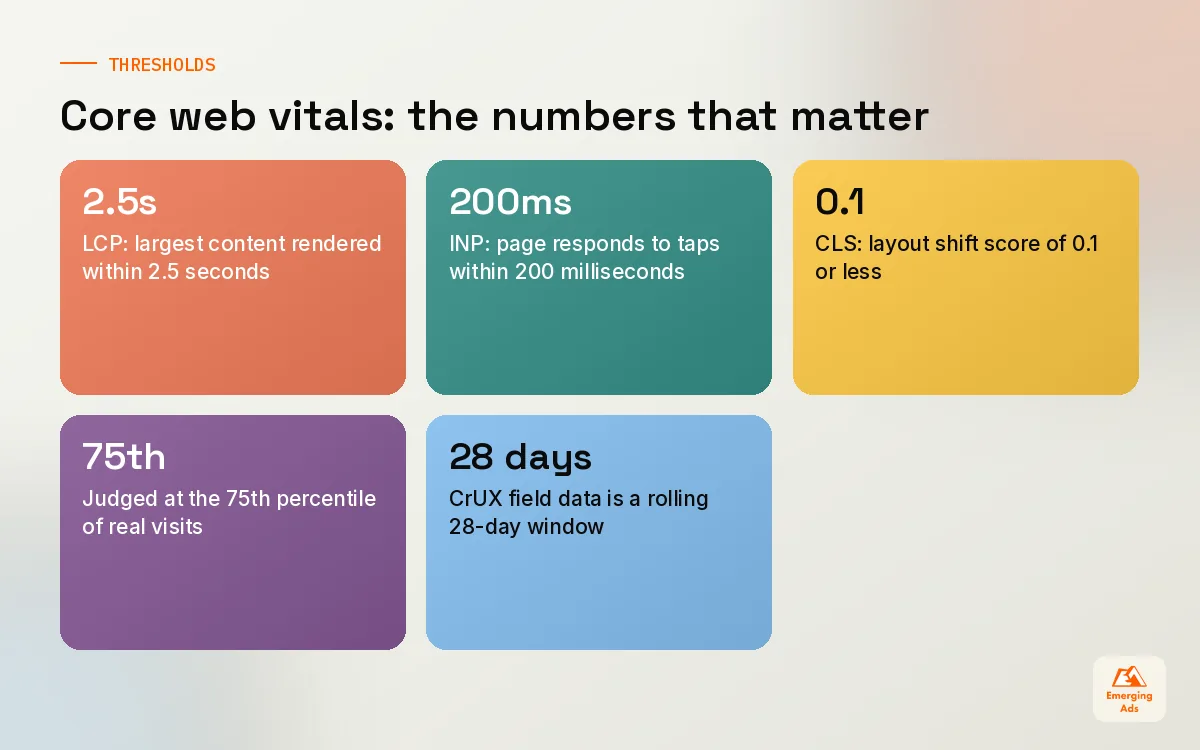
Every new client asks us about core web vitals in the first fortnight, usually because a PageSpeed Insights score came back red and someone on the leadership team saw it. So we start with the plain version. Core web vitals are three measurements Google collects from real Chrome users visiting your site. They describe whether the page loads its main content quickly, whether it responds when people tap or click, and whether things jump around while it loads. That is all. They are not a mysterious quality score, and a grey 42 in Lighthouse is not the number Google ranks you on.
The three metrics are Largest Contentful Paint (LCP), Interaction to Next Paint (INP) and Cumulative Layout Shift (CLS). INP replaced First Input Delay in March 2024, which is why older guides you find still talk about FID. If a tool or an agency report is still quoting FID as a core web vital, treat everything else in that report with a little suspicion.
The three numbers and Google's published thresholds
| Metric | What it measures | Good | Needs improvement | Poor |
|---|---|---|---|---|
| LCP | Time until the largest image or text block in view has rendered | 2.5s or less | 2.5s to 4s | Over 4s |
| INP | How long the page takes to visibly respond after a click, tap or key press | 200ms or less | 200ms to 500ms | Over 500ms |
| CLS | How much visible content shifts unexpectedly while the page is in use | 0.1 or less | 0.1 to 0.25 | Over 0.25 |
Google judges each metric at the 75th percentile of page loads. In human terms, three out of four visits need to hit the good threshold for the page group to pass. That detail matters more than most people realise, because it means a fast office broadband connection proves nothing. Your slowest quarter of visitors, often on mid-range Android phones and patchy mobile data, decides the grade.
02Field data vs lab data: the mistake behind most panic
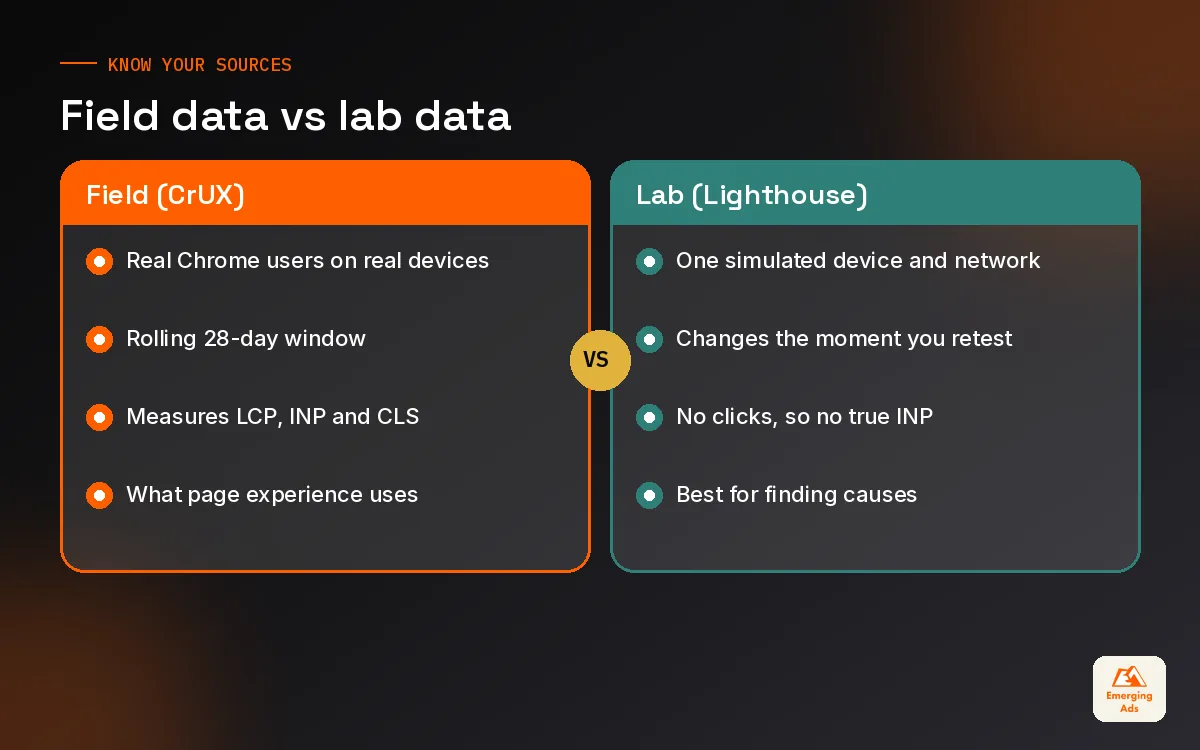
The single most useful thing we teach clients about core web vitals is the difference between field data and lab data. Field data comes from the Chrome User Experience Report, usually called CrUX. It is collected from real Chrome users who have opted in, and it is reported over a rolling 28-day window. Lab data comes from a simulated test, most often Lighthouse, run on one device profile, from one location, once.
Google’s page experience signals use field data. Lighthouse exists to help you diagnose. So when a founder forwards us a screenshot of a Lighthouse performance score of 38 and asks whether the site is being penalised, the honest answer is usually: that number is not what Google sees. We then open the field data section at the top of PageSpeed Insights, or the Core Web Vitals report in Search Console, and look at what real visitors experienced.
Why the two disagree
- Different devices. Lighthouse mobile simulates a throttled mid-tier phone. Your real audience might be mostly desktop B2B buyers, or mostly older phones. Either way the lab profile is a guess.
- Caching. Returning visitors load cached assets and fonts. Lab tests usually run cold, so they look worse than repeat visits and sometimes better than first visits from far away.
- Interactions. A lab test does not click anything, so it cannot measure INP directly. Total Blocking Time in Lighthouse is a rough proxy, nothing more.
- Time lag. CrUX is a 28-day rolling window. Ship a fix today and the field numbers drift down over the next few weeks, while the lab score changes the moment you retest.
That time lag catches people out every quarter. A WooCommerce client of ours compressed their hero banners, lazy loaded the review widget and saw Lighthouse jump immediately. Search Console still showed the product template as failing for nearly a month. Nothing was wrong; the rolling window just needed to fill with post-fix visits. We now warn every client about this before we ship anything, so nobody declares the work a failure on day three.
03How to diagnose core web vitals without guessing
We run the same diagnosis on every site, whether it is a clinic with 40 pages or a fashion store with 40,000 URLs. The goal is to find the template that fails, the metric that fails on it, and the element that causes it. Only then do we write a ticket.
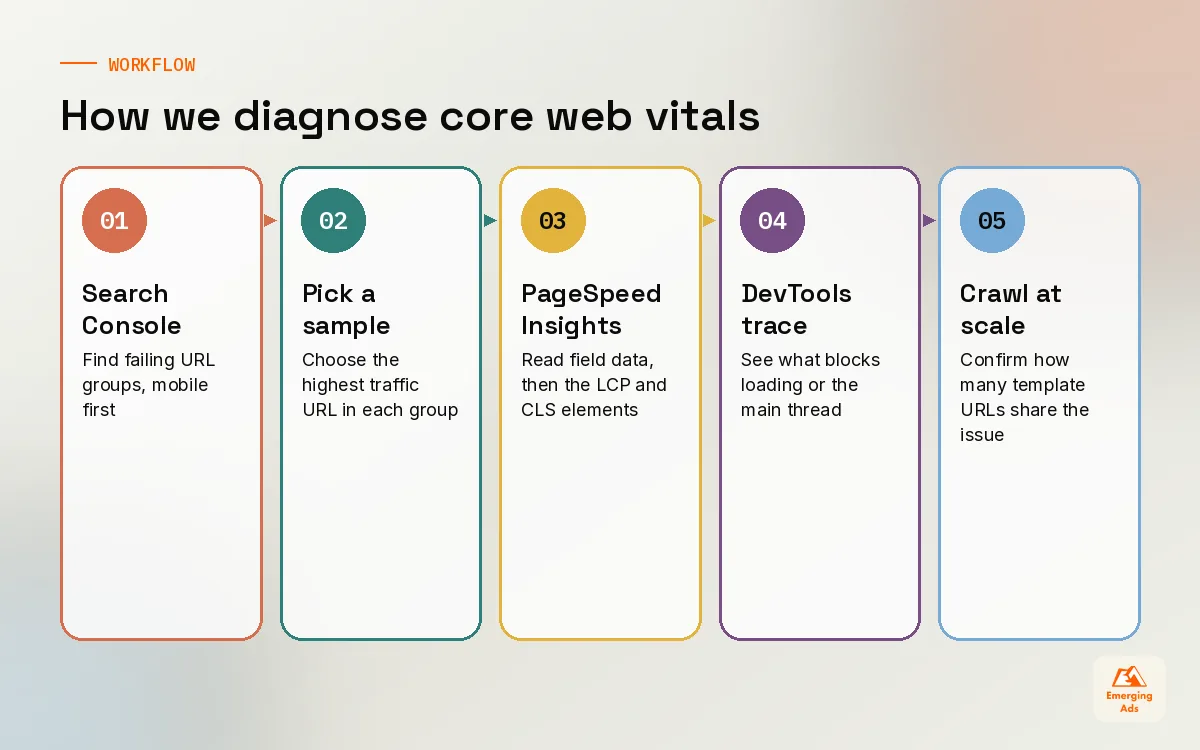
- Start in Search Console. Open the Core Web Vitals report under Experience, mobile first. It groups similar URLs together, so you see failing templates rather than 3,000 individual pages. Our Search Console setup and monitoring service exists largely because this report is under-used.
- Pick one example URL per failing group. Search Console shows sample URLs. Take the one with the most traffic, because that is the page whose fix you can measure fastest.
- Run it through PageSpeed Insights. Read the field data at the top first, then scroll to the diagnostics. For LCP, the report tells you which element was the largest contentful paint. For CLS, it lists the elements that shifted.
- Reproduce it in Chrome DevTools. The Performance panel shows the timeline: when the HTML arrived, when the LCP image started downloading, which long task blocked the main thread after a click.
- Crawl the template at scale. A crawler connected to the PageSpeed API, such as our Screaming Frog audit, shows whether the problem affects every product page or only the ones with video galleries.
Fix templates, not pages. One change to the product template can move ten thousand URLs; one change to one page moves one.
04Fixing LCP: getting the main content on screen faster
LCP is where most sites we inherit are failing, and the cause is nearly always one of a short list. The largest element is usually a hero image, a product photo, or on text-heavy pages, the first big heading block. LCP time breaks into four parts: time to first byte from the server, the delay before the browser discovers the LCP resource, the time to download it, and the time to render it. Find which part is fat and you know what to fix.
The LCP causes we see most often
| Cause | How to spot it | Usual fix |
|---|---|---|
| Slow server response (TTFB) | Long gap before any HTML arrives in the waterfall | Page caching, better hosting, a CDN, fewer database calls on the template |
| Hero image lazy loaded | LCP image has loading=”lazy” or is injected by a slider script | Load the hero eagerly, add fetchpriority=”high”, never lazy load above the fold |
| Oversized images | A 3000px, 1.8MB JPEG shown at 400px on mobile | Responsive srcset, modern formats such as WebP or AVIF, sensible compression |
| Render-blocking CSS and fonts | Text invisible until a web font or large stylesheet arrives | Inline critical CSS, preload the main font, use font-display: swap |
| Client-side rendering | The page is empty HTML until JavaScript builds it | Server-side render or pre-render the main content |
A typical example: a skincare brand on Shopify had a homepage slider with five full-width slides, all loading on first view, controlled by an app script. The LCP element was the first slide, but the browser only found it after the slider JavaScript ran. We replaced the slider with one static hero image in the theme, served at the right size for each screen, with a high fetch priority. The slide carousel moved lower down the page. Nobody on their team missed slides two to five, and the field LCP for the homepage group moved into the good range over the following month.
05Fixing INP: making the page respond when people tap
INP is the newest core web vital and the one most sites have never been asked to think about. It measures the delay between an interaction, such as tapping a filter, opening a menu or clicking add to basket, and the next frame the browser paints in response. The metric reports close to the worst interaction on the page, which is why a single sluggish mega menu can fail an otherwise fast site.
Poor INP almost always means the browser’s main thread is busy running JavaScript when the user taps. The usual suspects on sites we audit are tag managers stuffed with years of old marketing tags, chat widgets, review and personalisation apps, A/B testing scripts and heavy theme JavaScript that runs on every tap.
What actually improves INP
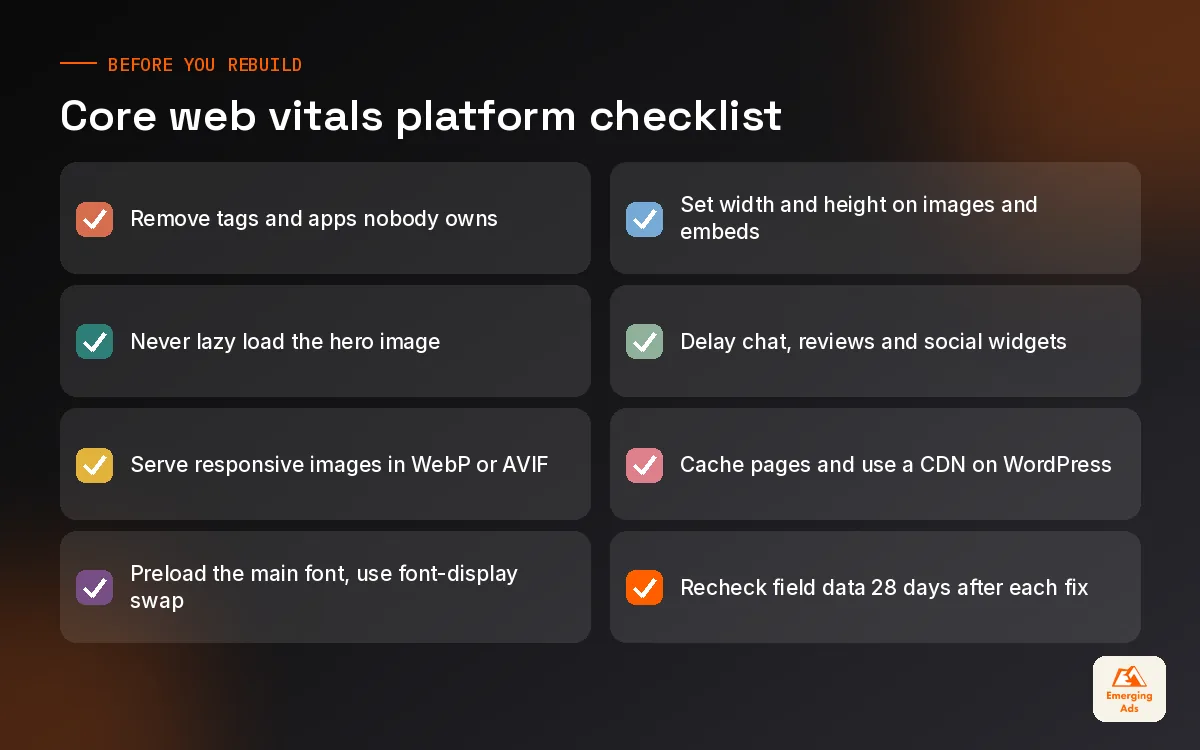
- Audit third-party tags. We regularly find tags for agencies a client stopped working with years ago still firing on every page. Removing dead tags is the cheapest INP fix there is.
- Delay non-essential scripts. Chat, reviews below the fold and social feeds can load after the page becomes interactive or on first scroll.
- Break up long tasks. Developers can split heavy event handlers so the browser gets a chance to paint feedback first, then finish the work.
- Give instant visual feedback. Show the button state change or a loading indicator immediately, then run the expensive logic.
- Simplify filters and menus. Faceted filters that recalculate the whole product grid on every tick are a classic INP killer on ecommerce category pages.
One B2B software client had perfect LCP and a failing INP, which confused everyone. The culprit was the cookie consent banner combined with a demo booking widget, both competing for the main thread on the first tap. We deferred the booking widget until the visitor scrolled to the form, and replaced the consent tool with a lighter one. Same design, same features, a fraction of the JavaScript.
06Fixing CLS: stopping the page from jumping
CLS is the metric visitors feel most personally. You go to tap a link, an ad or banner loads above it, and you tap the wrong thing. Google measures the size and distance of unexpected shifts. Shifts that happen right after a user interaction, like opening an accordion, do not count against you.
- Images and videos without dimensions. Set width and height attributes, or a CSS aspect-ratio, so the browser reserves the space before the file arrives.
- Late banners and pop-ups. Announcement bars, cookie notices and promo strips injected at the top push everything down. Reserve their space or overlay them instead.
- Web fonts swapping. A fallback font with very different sizing causes text to reflow when the real font loads. Font metric overrides help here.
- Embeds and ad slots. Give reviews widgets, maps and ad units a fixed minimum height.
CLS fixes are usually quick wins. On a publisher site we manage, the entire CLS problem came from one newsletter sign-up block that loaded above the article body on mobile. Moving it below the second paragraph and giving it a fixed height fixed the article template in a single deployment.
07Platform fixes for WordPress and Shopify
Most of our clients run on WordPress or Shopify, and each platform has its own habits. The principles above apply everywhere, but the work looks different.
WordPress and WooCommerce
WordPress problems are usually about plugins and hosting. Page builders add heavy markup and CSS, and every plugin can enqueue its own scripts on every page, whether it is needed there or not. We start with a plugin audit, then page caching and a CDN, then asset management so the contact form script loads only on the contact page. When the theme itself is the bottleneck, a lighter rebuild through our WordPress website design team often costs less than months of patching. Good hosting matters more on WordPress than anywhere else, because slow server response drags LCP down before a single image loads.
Shopify
On Shopify, hosting and the CDN are handled for you, so TTFB is rarely the villain. Apps are. Each review, upsell, currency, quiz or loyalty app can inject scripts on every page, and uninstalled apps sometimes leave code behind in the theme. Our Shopify speed optimisation work starts with an app and theme code audit, then image handling in the theme, then the product and collection templates. For stores that want ongoing care rather than a one-off project, our Shopify management service keeps new apps from quietly undoing the gains.
| Platform | Usual first suspect | First fix we try |
|---|---|---|
| WordPress (page builder) | Heavy builder CSS and JavaScript on every page | Caching, CDN, unload unused assets per page |
| WooCommerce | Slow server response on cart and product pages | Better hosting, object caching, trim plugins |
| Shopify | App scripts and leftover code from removed apps | App audit, remove dead code, delay non-essential apps |
| Headless or custom | Client-side rendering and large JavaScript bundles | Server rendering for main content, code splitting |
08How much core web vitals matter for rankings (honestly)
Here is where we part company with a lot of speed evangelists. In our experience, core web vitals behave like a tiebreaker. Google has said page experience is part of its ranking systems, but relevance and helpful content come first. We have never seen a site with thin, off-intent content climb because it went from amber to green. We have seen well-matched pages that were close in quality to a competitor gain a little ground after a template fix, and we have seen sites with genuinely awful experience stuck below weaker rivals.
The stronger argument for fixing core web vitals is commercial. Slow, jumpy pages lose people who were ready to buy or enquire. When we pair speed work with our conversion rate optimisation service, the speed fixes are often the ones that pay back first, because they help every visitor from every channel, including the paid traffic you are already buying. Landing pages built for ads are the most common offenders, which is why our landing page design briefs now include a performance budget from day one.
How we decide what to fix first
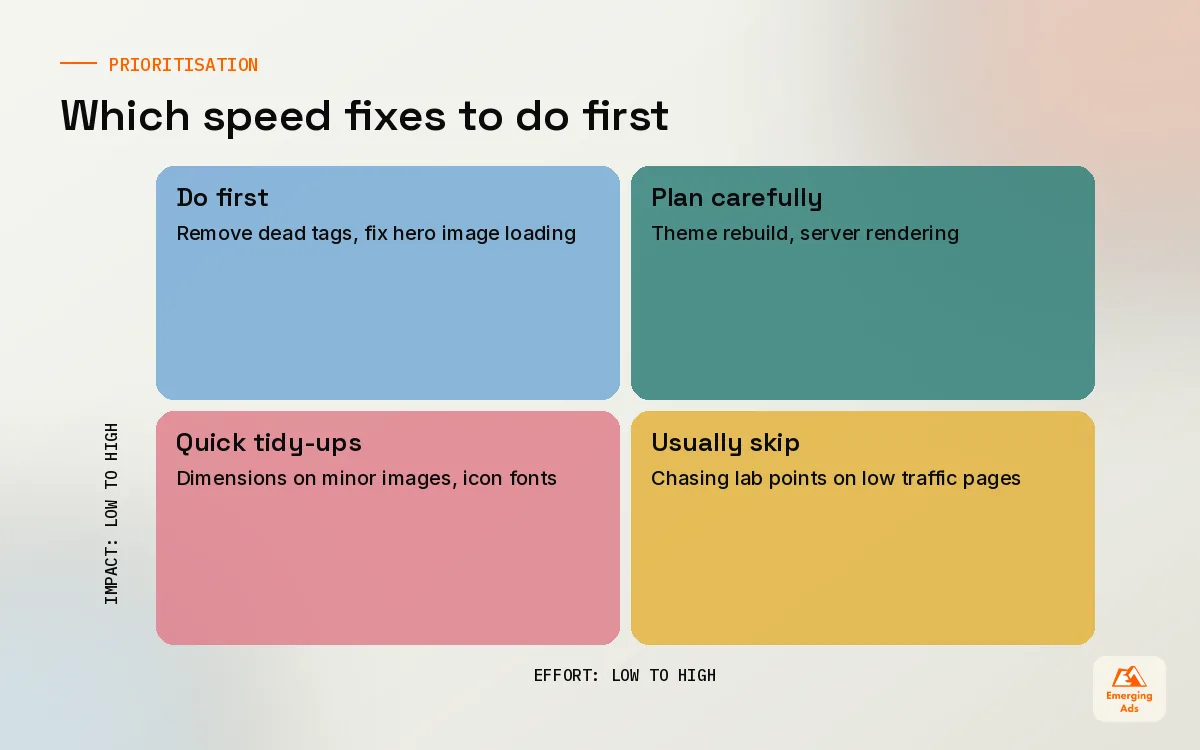
We score each fix on two things: how much traffic and revenue flows through the affected template, and how much developer effort the fix needs. Removing dead tags on every page is low effort and high reach, so it goes first. Rebuilding a custom theme is high effort, so it only goes ahead if the template carries serious revenue and cheaper fixes have run out. We measure results in field data and in conversion rate, tracked through a clean GA4 setup, not in Lighthouse screenshots.
09Keeping the gains and when to bring in help
Speed decays. Marketing adds a new tag, merchandising uploads a 4MB banner, someone installs a new app for a promotion and forgets it. The sites that stay fast have a simple routine: a monthly look at the Search Console Core Web Vitals report, a rule that every new script needs an owner and an end date, and image guidelines that the content team actually follows.
If you want a broader view of how speed fits alongside crawling, content and links, the usemergingads.com blog covers each piece, and our ecommerce SEO field guide goes deeper on category and product templates. When you would rather hand it over, our wider range of services covers the development, tracking and SEO work together, so nobody fixes speed in one place and breaks it in another.
Frequently asked questions
Straight answers to what clients ask us most about core web vitals.
What are the three core web vitals?
What are good core web vitals scores?
Why is my PageSpeed score low when Search Console says my pages are fine?
Do core web vitals affect Google rankings?
What replaced First Input Delay?
How long does it take for core web vitals fixes to show in Search Console?
Why does Search Console show no core web vitals data for my site?
Which core web vital is hardest to fix?
Can Shopify stores pass core web vitals?
Should I use a speed plugin on WordPress?
Is a perfect 100 Lighthouse score worth chasing?
Want to know which speed fixes will actually pay back?
We will pull your field data, trace the slowest templates to their causes and hand you a ranked fix list your developer can start on Monday.
Book your free audit